Meet. Think. Act.
MeetQyl records the meetings you start, with no bot in the call, transcribes them on your Mac and drafts the notes and tasks.
For macOS 15 or later on a Mac with Apple silicon.
- No bot joins
- Transcribed on your Mac
- No account
From conversation to clear next steps.
Everything you need after a meeting, made on your Mac.
-
No bot in your call
Press Record and MeetQyl captures your microphone and the meeting's audio on two separate tracks. Nobody sees a recorder join. Recordings are saved in short pieces as you go, so a crash costs seconds, not the meeting.
-
Transcribed on your Mac
When you press Stop, speech recognition runs on your Mac. Every line has its speaker and time: rename speakers, correct a word, or play the audio from any line.
-
Notes drafted for you
A summary, decisions, risks, open questions and action items, drafted privately on your Mac with Apple Intelligence. Every point shows the line it came from.
-
Turn talk into tasks
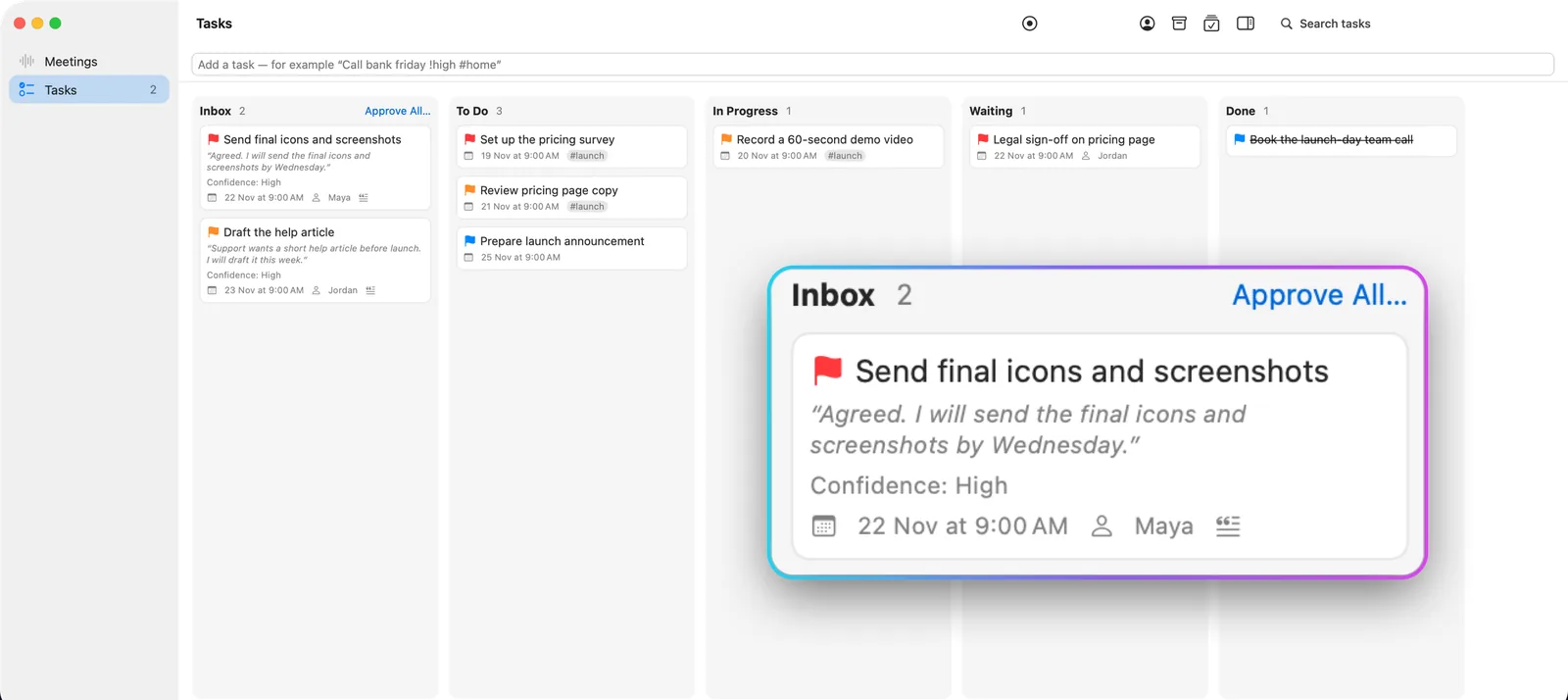
Suggested action items land in your Inbox with the exact quote. Approve them, set an owner and a due date, and get a reminder. A board keeps the rest moving.
-
Search and ask
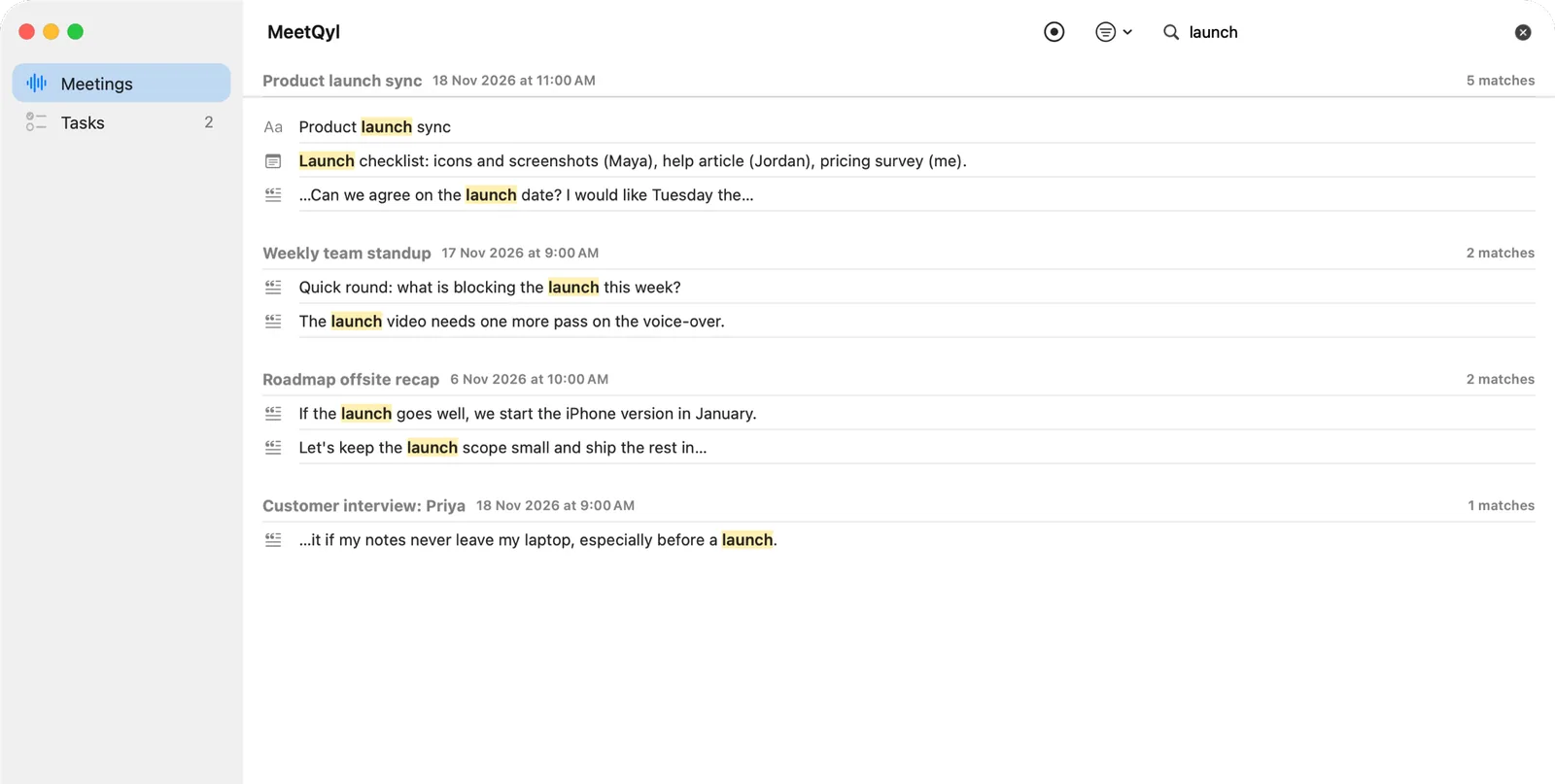
Find any word anyone said across every transcript and note. Press ⌘K to ask a question and get an answer from your own meetings, linked to the lines it is based on.
-
Thoughtful details
A floating recorder you can drag anywhere, a menu bar control, ⌥⌘R from any app, and clean Markdown export. If you turn it on, MeetQyl asks whether to record when a call starts.
Turn talk into tasks.
Each suggestion arrives with the quote it came from. Approve it, give it an owner and a due date, and move it from To Do to Done.
Three steps. No bot.
-
Record
Press Record in the app or the menu bar, or press ⌥⌘R in any app. Tell everyone they are being recorded; MeetQyl reminds you before each recording.
-
Transcribe on your Mac
When you press Stop, the transcript is made on your Mac. The first time, MeetQyl asks you to confirm a one-time download of the speech model.
-
Act on it
Read the drafted notes, approve the suggested tasks, and search or ask across all your meetings whenever you need them.
Your meetings stay yours.
Built for people who cannot send their meetings to someone else's server. There is no MeetQyl account, and we never receive your recordings.
Read the privacy policy-
No bot in your call
Nobody sees a recorder join.
-
Transcribed on your Mac
Your audio is never uploaded.
-
Cloud AI is optional and off by default
Use it only if you set it up with your own account. Every send is listed in the meeting's Activity tab.
-
No accounts or tracking
No ads, no analytics, no tracking.
Questions, answered.
Does MeetQyl join my call as a bot?
No. MeetQyl records your microphone and the meeting's audio on your Mac. Nobody in the call sees a recorder join. Tell the people in the meeting that you are recording: laws differ by place.
Is my audio uploaded anywhere?
No. Transcription runs on your Mac, and audio is never sent to a cloud AI provider. If you choose to connect a cloud AI provider with your own account, MeetQyl sends meeting text to it only when you press Send, or after each transcription if you allowed automatic analysis for that provider.
Do I need an account?
No. There is no MeetQyl account. Cloud AI is optional; if you want it, you connect your own account with a supported AI provider.
What do I need to run MeetQyl?
macOS 15 or later on a Mac with Apple silicon. Notes and Ask MeetQyl need Apple Intelligence or your own cloud AI account. Transcription is in English.
Why does the first transcription download something?
Transcription runs on your Mac with a speech model of a few hundred MB. MeetQyl asks you to confirm before it downloads it once. No recording or transcript is sent.
Is there an iPhone app?
Not yet. MeetQyl for iPhone is coming, but it is not available today. MeetQyl is currently for Mac only.

Your meetings, remembered. Privately.
Record, transcribe and act on your meetings, all on your Mac.
Coming soon to theMac App Store